[Case 03]
“I redesigned a preschool management system so admins don’t spend two hours verifying attendance — and parents actually know what’s happening.”
EdTech / School Operations
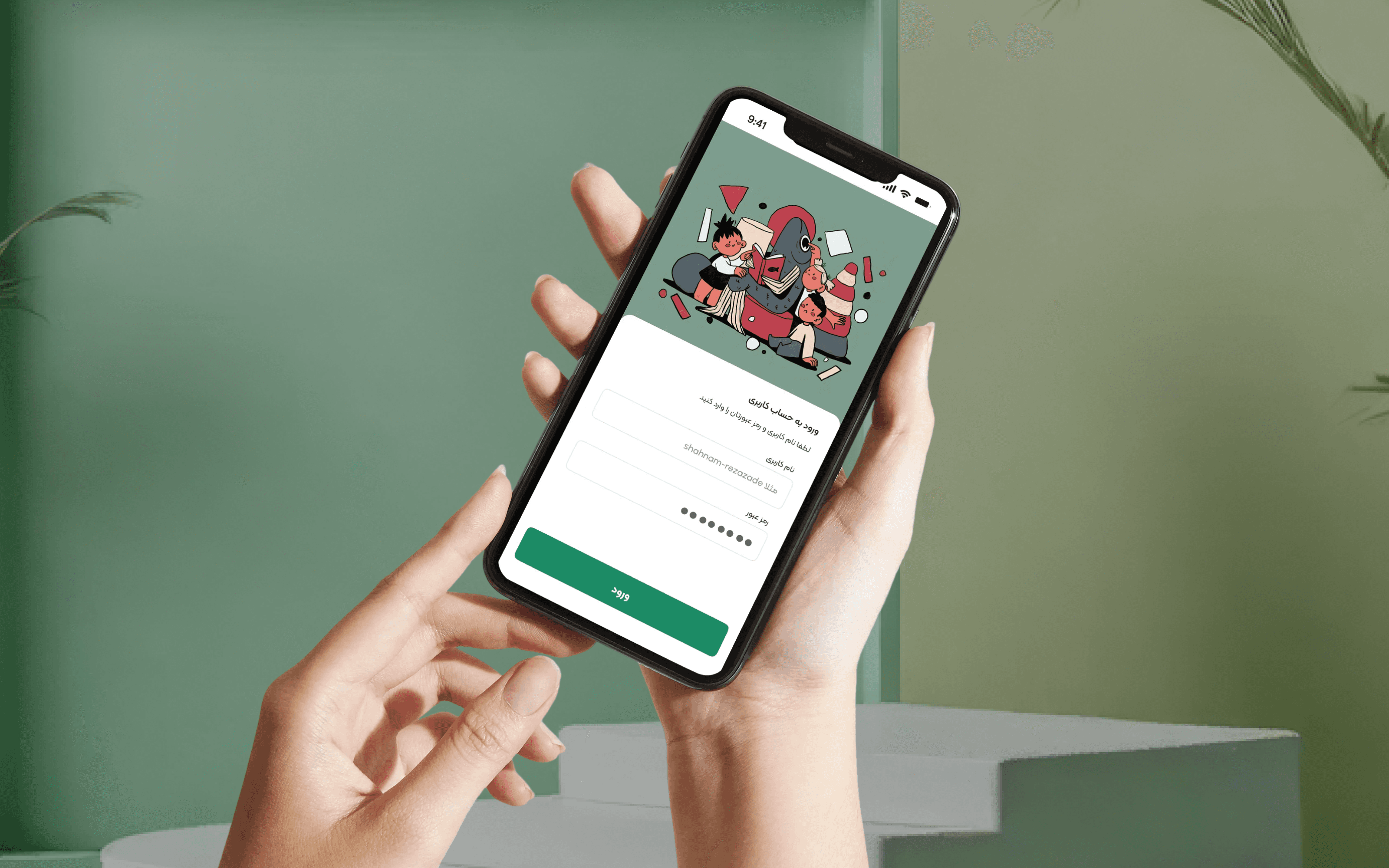
Fixing Preschool Operations
Redesigning a chaotic system so admins can trust their data — and busy parents never miss critical updates.
[Project Overview]
We were asked to rebuild a broken preschool management system used by small private kindergartens. The goal was clear: eliminate paper binders, reduce admin time, and give parents reliable access to their child’s status and school updates. Requirements included: real-time attendance tracking, simplified enrollment, parent mobile access, and offline support — all while working for non-tech-savvy admins and busy parents.
[Problem Statement]
Admins spent two hours every morning just figuring out who was actually present — flipping through three binders, juggling two old software programs, and still getting it wrong. Parents missed school closures because paper notices got lost in backpacks. Kids were marked absent while sitting in circle time. Registration meant filling out the same info on five different forms. If a parent ran late, they’d call — but the line was always busy. The system didn’t just slow things down — it created real stress, errors, and wasted time every single day.
[Industry]
EdTech / School Operations
[My Role]
Product Designer
[Platforms]
Desktop and Android
[Timeline]
January 2024- March 2024
[Persona]

Kimia
Preschool Administrator
Kimia manages daily operations at a private preschool. She uses two outdated software programs and a spiral notebook to track who’s late, who’s sick, who needs a call home. She spends over two hours every morning just verifying attendance — and still gets it wrong. She doesn’t need more features. She needs certainty.
Age: 26
Location: Tehran, Iran
Tech Proficiency: Intermediate
Gender: Female
[Goal]
Know instantly which children are present — without flipping through binders or making phone calls.
Send urgent updates (like closures or delays) so parents actually receive them — not lose them in backpacks.
Onboard new families in one simple flow — not five paper forms with repeated info.
[Frustrations]
Spends 2+ hours every morning just confirming who’s here — and still marks kids absent by mistake.
Parents miss school closures because paper notices get lost in kids’ backpacks — then blame her for not informing them.
Registration repeats the same data across five forms — parents submit incomplete info or give up entirely.

[Process]
[Outcome]
Admins cut morning attendance checks from 2+ hours to under 15 minutes — because real-time QR confirmation eliminated guesswork.
Paper notices became obsolete — because critical updates now reach parents directly, reliably, and with clear priority (no more “I didn’t see the note”).
Enrollment no longer meant five forms — parents complete sign-up in one auto-saved flow that respects their time and reduces errors.
[Early Process: Understanding the Chaos]
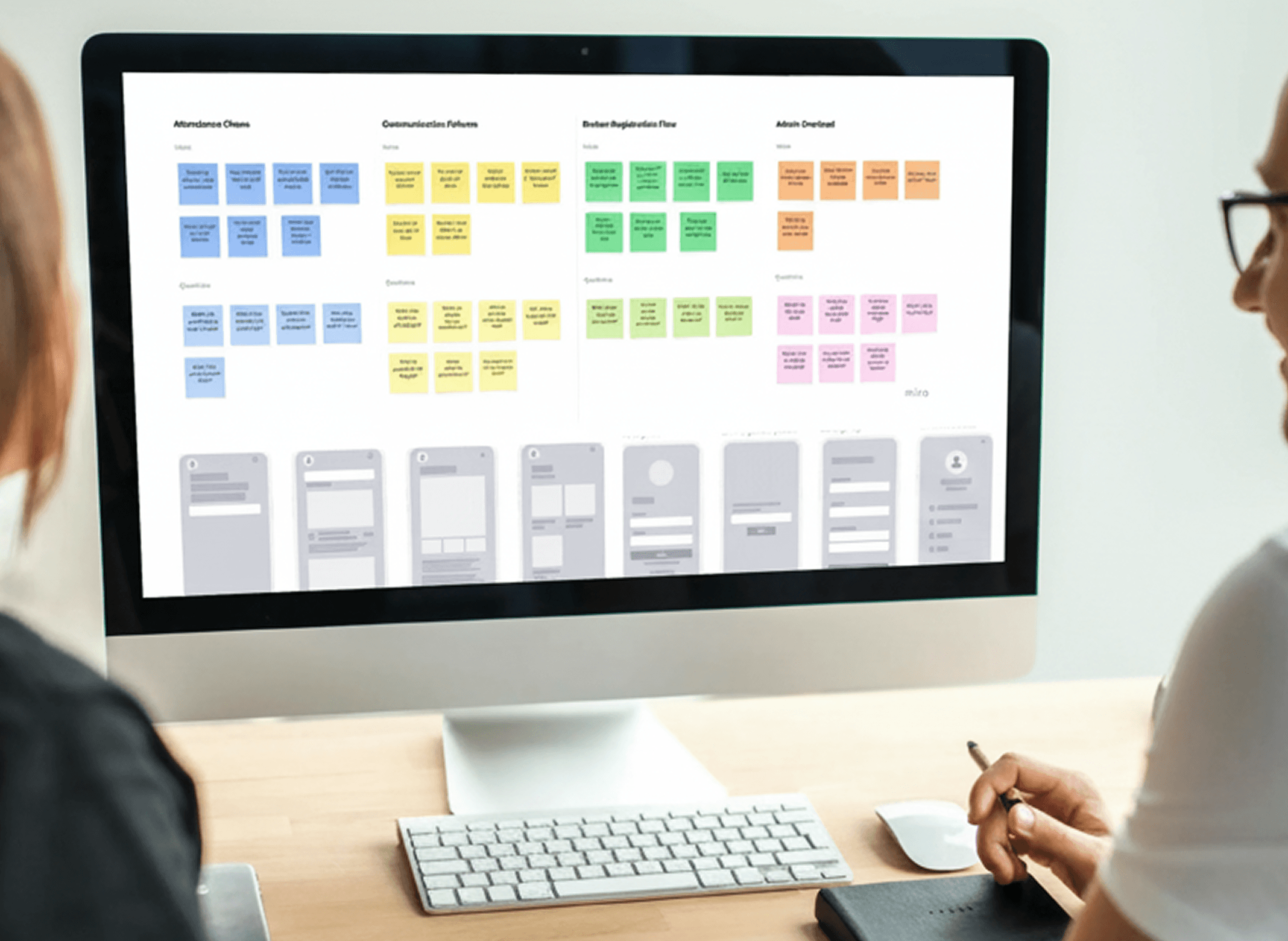
I mapped the full parent journey on a wall — every step from inquiry to pickup. We counted 47 data fields across registration forms, with 31 repeated unnecessarily. I ran affinity diagramming with all our observations, and three patterns emerged: too much manual work for admins, no visibility for parents, and zero real-time coordination. From that, I sketched dozens of dashboard layouts on whiteboards. What does an admin need the second they log in? Not reports. Not menus. Just: who’s here, who’s missing, any alerts. For parents, I tested early wireframes of the home screen — but kept it minimal. No feeds, no photos, no noise.

[Final Product: A System That Fits Real Life]
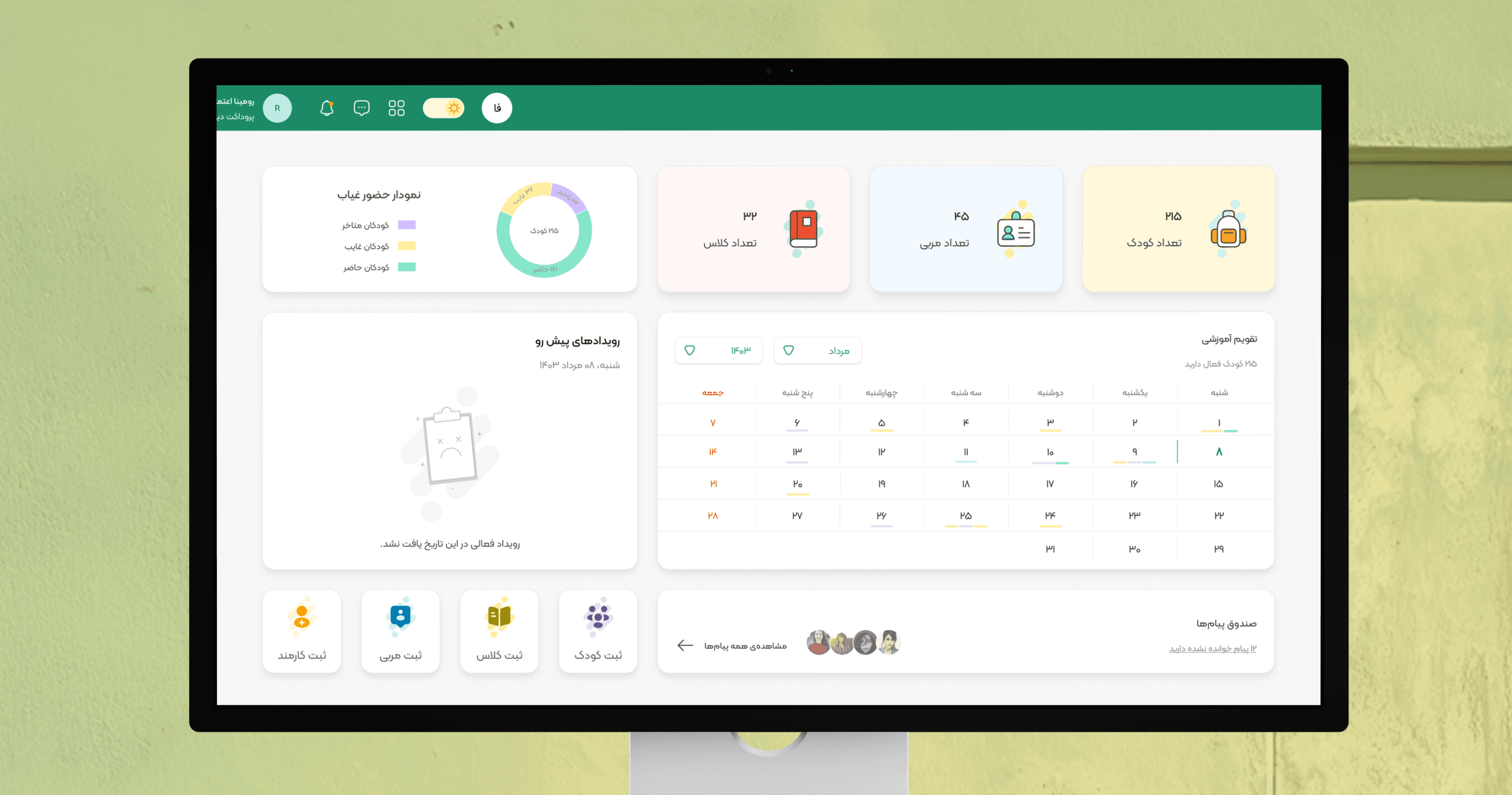
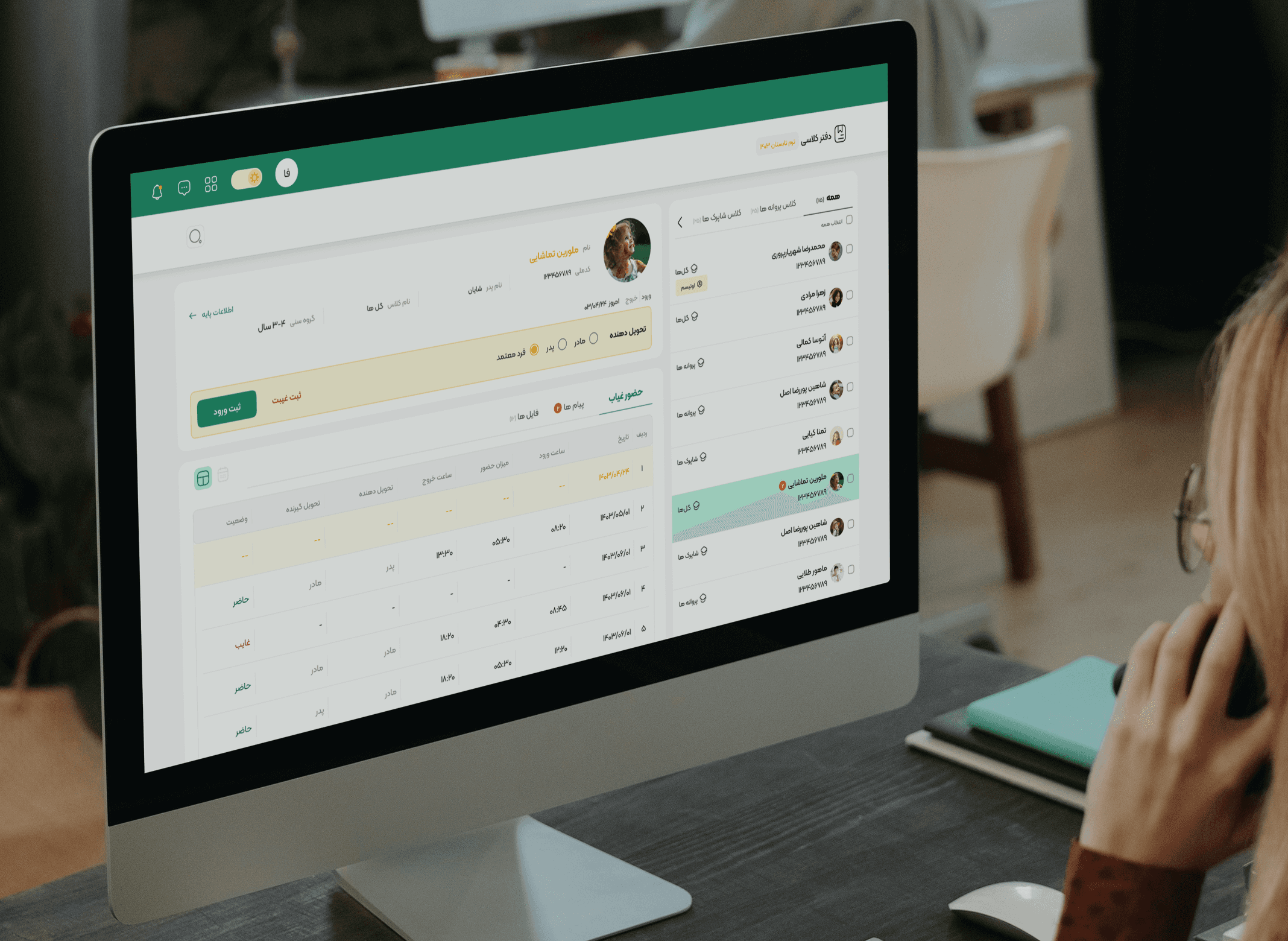
The final design has two parts — and every detail answers a real pain we saw. The admin dashboard opens with a status overview: green dots for kids who’ve checked in, yellow for those expected but not arrived, gray for not scheduled. Below that, quick actions: mark attendance, send alert, view schedule. Everything else is collapsed unless needed. We also added a simple notes field per child — so admins can log “sick,” “late,” or “needs call” digitally. No more binders. The parent mobile app starts with the child’s photo and a status indicator. Below: today’s key info (ate? nap? teacher note?) — clean, icon-based, no clutter. Quick actions: “Message teacher,” “Report absence,” “Call school” — all one tap. Everything else — payment, documents, settings — is tucked in a menu. Important, but not urgent. We chose QR code check-in after testing failed ideas: parents won’t unlock their phone during drop-off, and GPS fails in basements. A scan takes two seconds, works offline, and feels secure. For notifications, we built a three-tier system so parents aren’t bombarded — only critical alerts break through, and they can customize what counts as urgent. The whole thing works offline — actions queue and sync when signal returns — because real life happens in parking garages and dead zones. And registration? Down to 18 fields, auto-saved between steps, so parents can start on the bus and finish later. This wasn’t about making something pretty. It was about building a system that finally works when it matters — for admins drowning in paper, and parents just trying to know their kid is safe.

[Key Learnings]